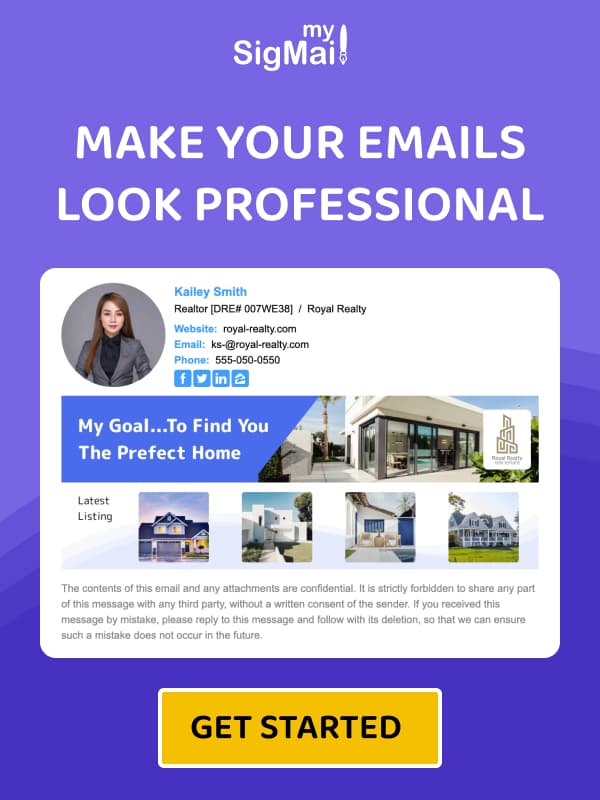
Best Email Signature Solutions for Sales Professionals & Account Managers — Examples & Tips
Strange thing I’ve noticed—maybe you’ve felt it too. Folks in sales or account management basically live inside their inboxes. Honestly, some days it feels like you spend more time staring at Gmail or Outlook than at your own couch. And the pace? Wild. You’re lobbing cold outreach, chasing warm leads, sending proposals, putting out client fires… rinse, repeat, hope for a weekend.
And in that whirlwind where someone decides—almost instinctively—whether to skim or swipe your email into oblivion, that tiny strip at the bottom (yeah, your signature) suddenly isn’t just “contact info.” It’s your digital badge. Your handshake. Your “I’m not a spam bot, I promise” card.
Funny how something that small can sell for you while you’re off making coffee or arguing with Slack notifications. A sharp signature trims down scheduling friction, reinforces your personal brand, and nudges folks toward action without shouting about it.
Quick takeaways, zero corporate fluff
- Stop the chaos: A calendar link kills the dreaded “when works for you?” rally.
- Human factor: A photo whispers “real person here,” which helps—you know—get replies.
- Stealth marketing: Slide in a webinar or case study link without feeling like a billboard.
- MySigMail: A ridiculously easy builder that doesn’t require HTML sorcery.
Why Your Signature Might Be Your Sneakiest Sales Power Move
Picture this: you wouldn’t roll up to a client meeting in gym shorts (at least, I hope not). Same deal with your signature. It’s the digital outfit you show up in, every single time.
- Reduce friction like a champ. Instead of playing the “how about Tuesday?” game, prospects can smash one button and lock a call.
- Make it personal. People prefer people. A simple headshot can turn you from “text blob” into someone relatable.
- Gentle promotion. Want to showcase a new case study? Cool. Slip it into your signature where it feels natural—no neon arrows needed.
Five Ingredients Every High-Performing Sales Signature Needs
Think of this like a starter kit—basic but surprisingly powerful.
1. A Legit Headshot
Smiling, crisp, friendly. A CEO photo gives authority; a Sales Manager’s pic conveys trust. Something about seeing a face makes ghosting feel slightly rude.
2. A Direct Calendar Link
Non-negotiable. Whether it’s Calendly, HubSpot, or Google Calendar, add a simple prompt like: “Book a quick 15-min call” or “Check my availability.”
3. Social Proof That Isn’t Braggy (But Totally Is)
If your company has accolades—G2, Capterra, Trustpilot badges—use them. They talk louder than a paragraph about how “innovative” you are.
4. A Clean, Purposeful CTA
Hunters want demos booked. Account Managers might push a survey or a quick product tour. Examples: “See the 2-min tour” or “Get your free audit.”
5. LinkedIn (Your Real Digital Office)
Make the icon noticeable enough so curious prospects can snoop your profile and find mutual connections. It happens. A lot.
What to Avoid
- Link dumps. Ten icons make people freeze. Keep LinkedIn + your calendar. That’s it.
- Heavy images. If your signature loads slower than a 90s webpage… nope.
- Corny quotes. Save the moon-shooting mantras for your bedroom wall.
- Broken mobile layouts. Almost half of business emails open on phones; make your signature behave.
How to Build One Without Losing Your Mind
Alright, theory’s nice. But actually creating the thing? Two real paths.
Option 1: The Smart Route (aka MySigMail)
Minimal effort, maximum polish.
- Create an account — free to start.
- Add your basics: name, role, company.
- Drop your logo or photo.
- Plug in your contact info.
- Add your social icons—LinkedIn for sure; TikTok only if that’s your crowd.
- Pick a template that feels like you.
- Spice it up: banner, disclaimer, promo link.
- Save, paste, celebrate with overpriced coffee.
Option 2: DIY in Gmail, Outlook, Apple Mail
You can attempt the Franken-signature method: copy, paste, nudge, resize, swear, repeat. It’ll technically function.
But mobile-responsive? Branded? Trackable? Eh… probably not.
This is why MySigMail tends to win people over—it keeps everything clean and consistent.
FAQ



Recent Posts
Why We Open-Sourced MySigMail Card, an HTML Email Builder
August 26, 2026
How to Create a Digital Business Card With a QR Code
August 14, 2026
How to Make a Phone Number Clickable in an Email Signature
August 7, 2026
Gmail Aliases: Different Signatures for New Emails and Replies
July 24, 2026
30 Ways to Enhance Your Email Signature and Boost Your Professional Image
May 29, 2026