
Professional Email Signature: A Client-Facing Baseline
February 27, 2026
A client-facing signature needs a reliable baseline: name, role, company, and the contact route the recipient is most likely to use. Add a website or relevant professional profile when useful. Logos, headshots, banners, CTA buttons, and disclaimers are optional components with specific jobs.
The signature should answer three questions without distracting from the message:
- Who sent this?
- What is their role and company?
- What is the best next way to contact or verify them?
Everything else must earn its place.
What to Include, What to Consider, and What to Cut
Use this matrix as a baseline, then adjust it for the sender's role and recipient context.
| Element | Must-have baseline | Optional when useful | Cut when |
|---|---|---|---|
| Full name | Yes | — | Never for external client mail |
| Role and company | Yes | Team or department can clarify ownership | The title is outdated, inflated, or irrelevant |
| Primary contact route | Yes | Phone, booking link, or support portal | It is unattended or inappropriate for the recipient |
| Email address | Context-dependent | Useful when forwarded outside the original thread | It merely repeats an address already obvious and space is tight |
| Company website | Usually | Link to a relevant service or location page | The destination is broken or does not help the recipient |
| Logo | — | Supports company recognition | It dominates the layout or duplicates an unreadable wordmark |
| Headshot | — | Helpful in relationship-led roles | It is outdated, low quality, or not appropriate for the organization |
| Professional/social links | — | One or two relevant profiles | The profile is inactive, personal, or unrelated |
| Banner or CTA | — | One current client-relevant action | The campaign expired or competes with the email's purpose |
| Disclaimer | — | Required or approved for a defined business need | It is copied from another company or presented as legal protection without review |
| Quote, badges, awards | — | A current credential may help a specific role | It adds clutter, cannot be verified, or distracts from contact details |
“Must-have” does not mean visually loud. Emphasize the sender's name, then role, company, and contact options.
Decide by Role and Context
The best baseline changes with the work the sender does.
Sales and account management
Prioritize a phone or booking route only when clients use it. A website or LinkedIn profile can help verification. Use a CTA only when it supports the conversation.
Customer success and support
Make the support or escalation route explicit. If phone is not part of the service model, a status page, help center, or account portal may be more useful.
Consultants, founders, and freelancers
Show the role, business, website, and a route to relevant work or scheduling. Keep portfolio links selective.
Regulated or policy-sensitive roles
Use approved titles, badges, and disclaimer text. A disclaimer addon can format approved language, but cannot guarantee compliance; the responsible organizational owner decides requirements.
Internal and reply contexts
A full signature may be unnecessary deep in a thread. Use a compact reply version while retaining enough identity for forwarded messages.
A Balanced Signature Example
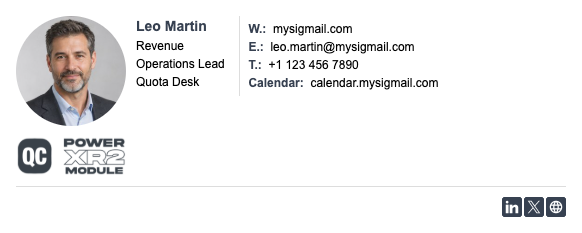
The headshot and badge are optional, while identity and contacts remain text. If images are blocked, the signature still works; social icons remain secondary.
Typical Signature Mistakes
Treating every field as mandatory
Multiple phone numbers, social networks, awards, and promotions can hide the action a client needs.
Using stale or unowned contact routes
Old titles, disconnected numbers, expired calendars, and abandoned profiles create friction. Every route needs an owner.
Building the entire signature as an image
Image-only signatures lose selectable contact text and can become blank when images are blocked. Keep essentials as HTML text. The W3C image guidance recommends purpose-based alt, meaningful accessible names for linked images, and empty alt only for decorative images.
Letting images control the layout
A logo or portrait should fit the layout. Source dimensions, file weight, and displayed size differ. Preserve aspect ratio and test the installed result.
Adding an unrelated CTA
A sales banner in support mail can feel careless. Marketing elements must match the sender and conversation.
Assuming one preview represents every recipient
Email clients apply different rendering, privacy, and image-loading behavior. A browser preview is useful for assembly, but it is not recipient QA.
Exact Workflow for Building the Baseline
1. Define the sender context
Record the role, recipients, primary contact route, and whether the signature covers new messages, replies, or both.
2. Approve the content
Confirm identity, contacts, URLs, and optional components. Obtain disclaimer or credential wording from its owner.
3. Choose one of 15 templates
Choose one of 15 templates in MySigMail based on content shape, hierarchy, and available space.
4. Fill the core fields first
Add identity and the primary contact route before styling, then relevant links. Check every destination.
5. Add optional components deliberately
Logo, banner, and CTA addons come after the baseline. Use current artwork, one promotional action, and an accurate destination. Keep identity outside images.
6. Set visual hierarchy
Keep the name prominent, secondary details readable, contrast sufficient, and image proportions intact.
7. Review with images off
With images unavailable, sender, company, and contact step must remain clear. Add purpose-based alt to informative or linked images.
8. Export for the installation method
Use Copy as Select for visual editors that accept rendered content and Copy as HTML only when a workflow accepts source markup. Follow current client instructions.
Installation Handoff for Individuals and Teams
For one sender, handoff should include:
- The final signature or personalization link
- The approved contact information and destinations
- The correct Copy as Select or Copy as HTML method
- Client-specific installation instructions
- A short recipient QA checklist
- The owner and next review date
For a team, a manager creates a template and personalization link. Each employee manually completes permitted fields, copies the signature, and installs it. This is not server-side deployment; the manager still tracks completion and client issues.
Installation controls differ by client. Google's Gmail signature troubleshooting explains that oversized images can cause display problems and that formatting can vary. Microsoft documents adding and changing Outlook signatures. Apple documents how to create a Mail signature and add an image. Verify the received message instead of treating any sender-side preview as universal.
Recipient and Client QA
Send realistic messages to accounts you can inspect; a settings preview is not enough.
Check:
- New messages, replies, and forwards
- Gmail, Outlook, and Apple Mail where relevant
- Desktop and narrow mobile views
- Light and dark appearance
- Images loaded and blocked
- Name, role, company, and contact details as selectable text
- Logo and headshot proportions
- Every link, phone number, banner, and CTA destination
- Forwarded messages outside the original organization
- Whether a recipient client shows an image as an attachment
No signature can be guaranteed to render identically in every email client. Record material differences and choose the version that remains understandable and useful across the clients your recipients actually use.
Maintenance Checklist
Review the signature on a defined schedule and whenever a business change occurs:
- Confirm the sender's role, team, and company name.
- Test phone, website, calendar, profile, banner, and CTA links.
- Replace expired campaigns and outdated artwork.
- Remove credentials or badges that are no longer current.
- Verify that approved disclaimer text has not been edited informally.
- Check the signature after major email-client or operating-system changes.
- Repeat recipient QA for any structural or image update.
- Confirm that team members installed the current version.
- Keep a compact reply version aligned with the full signature.
- Assign an owner and next review date.
Honest Limitations
MySigMail helps assemble and copy a consistent signature, but it cannot control the recipient's mail server or client. Images may be blocked, reformatted, shown as attachments, or omitted. Fonts and spacing can change. Dark mode behavior is not universal.
The manager personalization flow does not remotely install or update employee signatures. There is no native A/B testing, and optional tracking cannot prove why a recipient acted. Logo, banner, CTA, or disclaimer addons do not guarantee deliverability, conversion, accessibility, or legal compliance. Those outcomes require appropriate content, recipient testing, organizational review, and maintenance.
The Client-Facing Baseline
A professional signature is successful when the recipient can identify the sender, understand their role, and use the right contact route—even when optional images do not load. Start with that baseline, add only context-relevant components, hand installation off clearly, and keep the result current through real recipient QA and scheduled review.




Recent Posts
Double-Spaced Email Signature? How to Fix the Extra Line Spacing
October 6, 2026
Gmail Signature Too Long? How to Fix the Error
September 17, 2026
Why We Open-Sourced MySigMail Card, an HTML Email Builder
August 26, 2026
How to Create a Digital Business Card With a QR Code
August 14, 2026
How to Make a Phone Number Clickable in an Email Signature
August 7, 2026